Your AI SaaS design director, in Claude and ChatGPT
It reviews your website and product, suggests ideas, and draws the fix or a whole new flow in Figma.
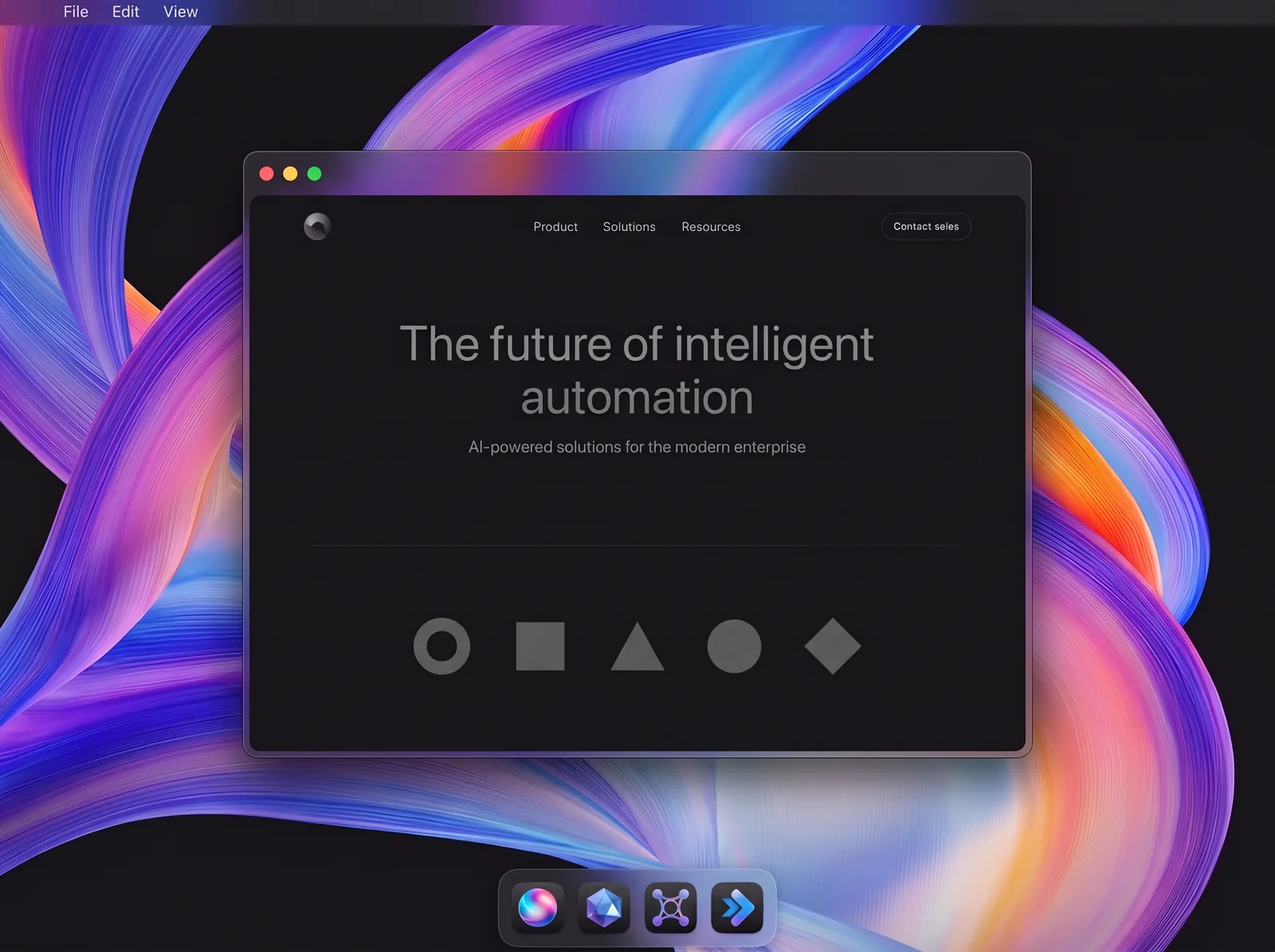
Trained on our AI SaaS work
- AI SaaS projects
- 60+
- years designing AI products
- 7+
- venture funds behind our AI clients
- Top 10
Turn one line into ideas or Figma screens
Four requests an AI SaaS founder might type, from onboarding to agent approvals.
Example 1Find why trial users never reach first value
Ranked onboarding fixes, each tied to the step where users stall.
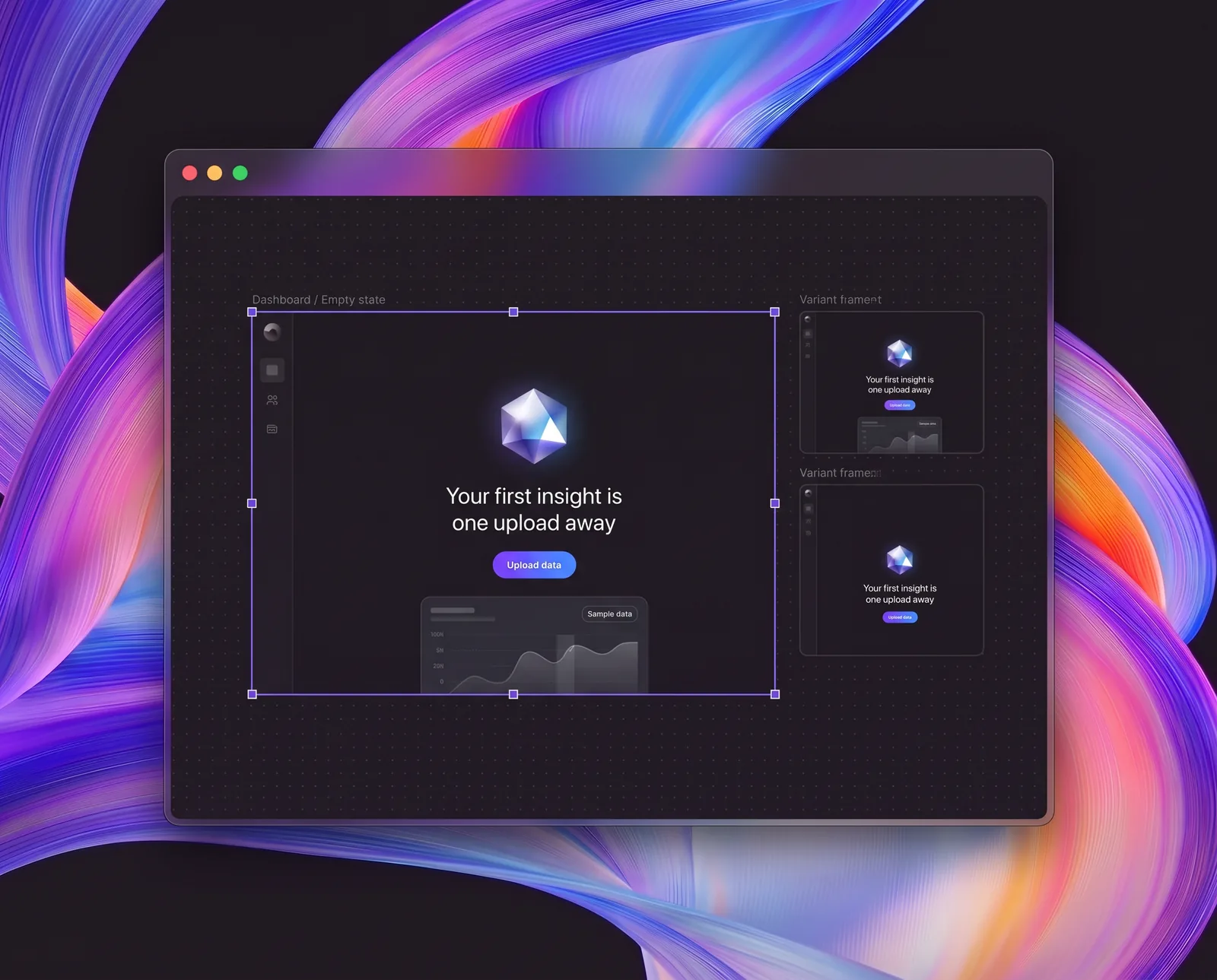
Example 2Draw the first-login empty state for our dashboard
An empty state with an outcome headline, one primary action, and a sample-data preview.
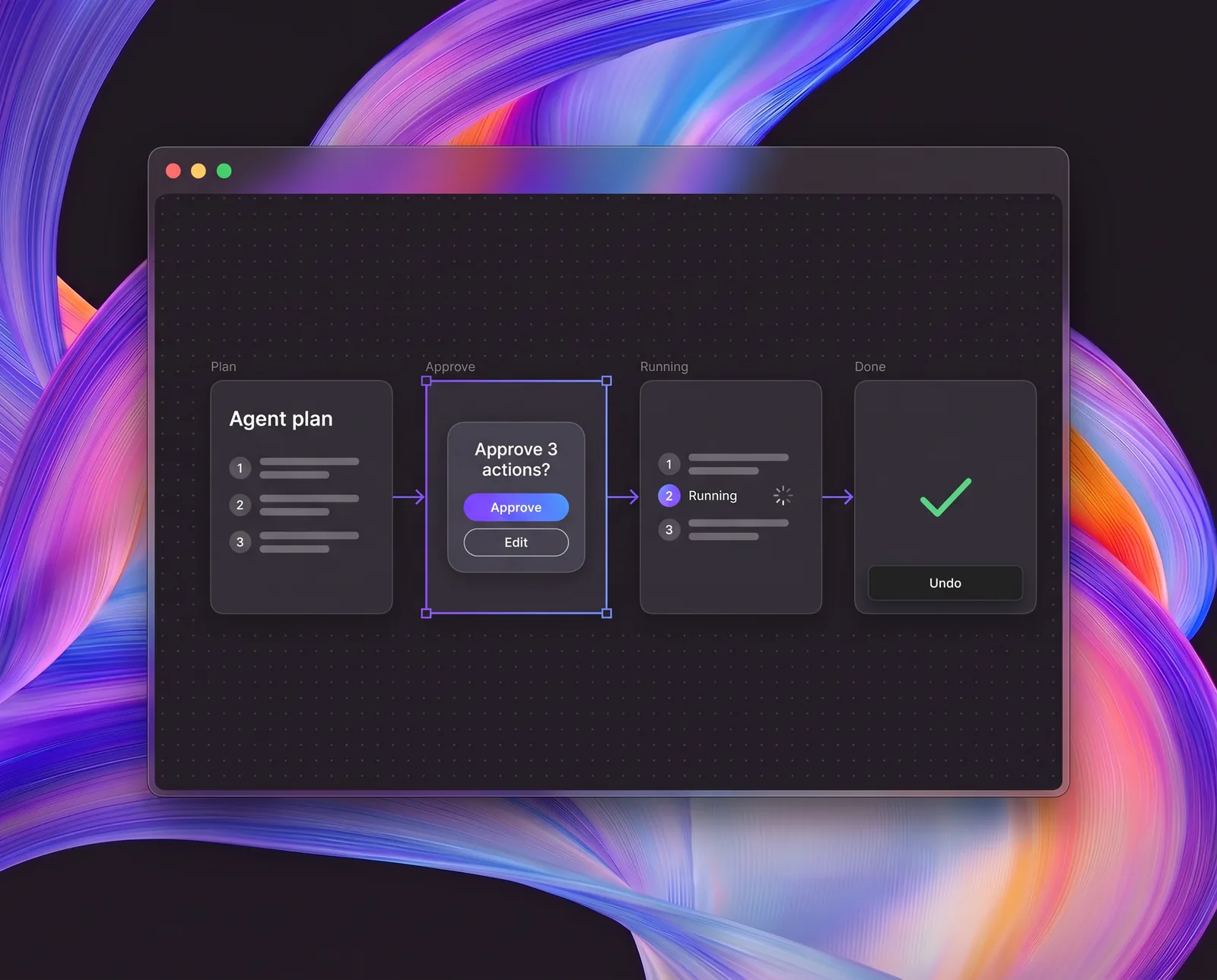
Example 3Draw approval screens for our AI agent’s actions
Screens for the plan preview, approve or edit, running status, and one-click undo.
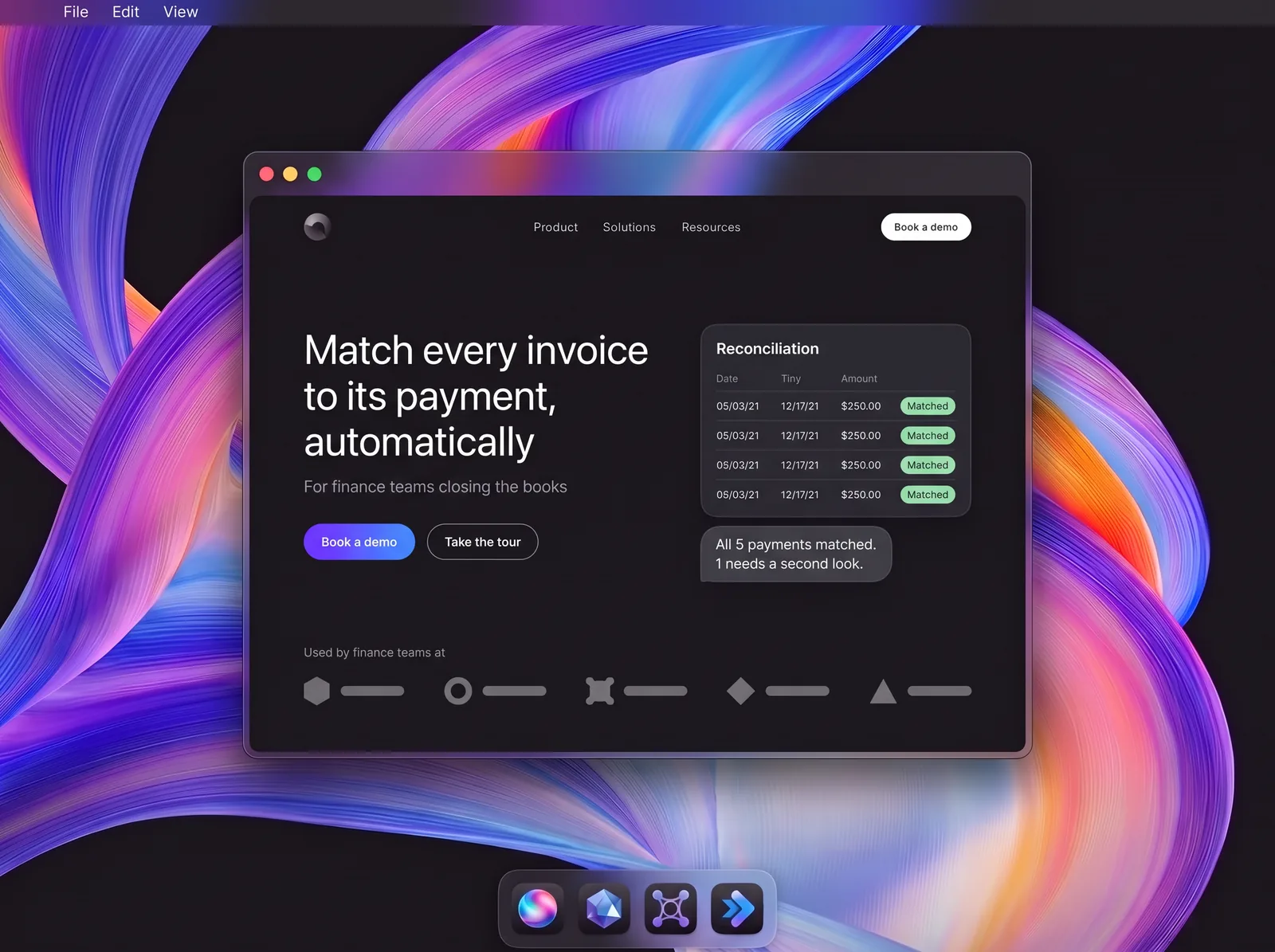
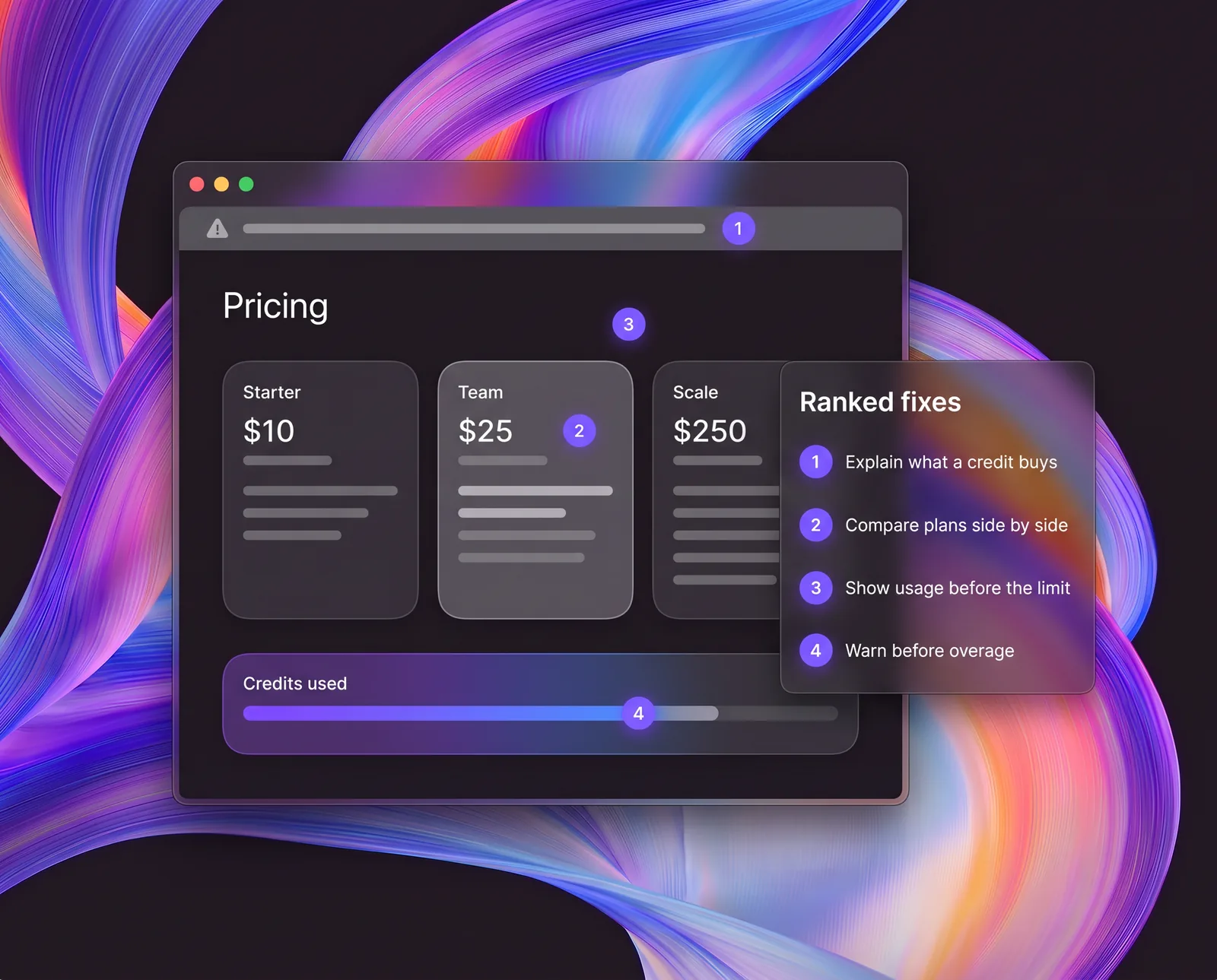
Example 4Review our pricing page for credits and usage
Ranked fixes for the credit explainer, plan comparison, usage meter, and overage warnings.
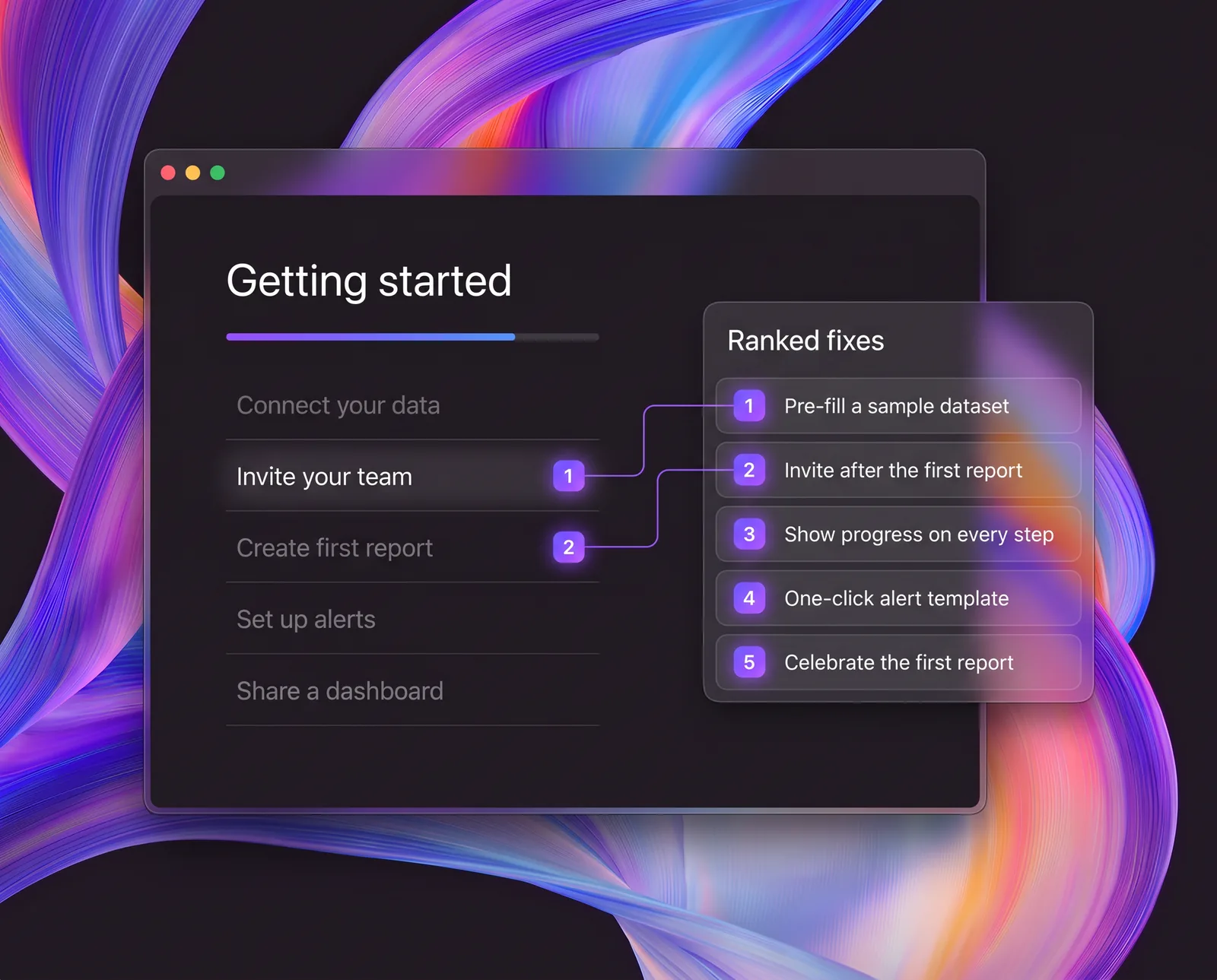
- Example 1
Find why trial users never reach first value
Ranked onboarding fixes, each tied to the step where users stall.
- Example 2
Draw the first-login empty state for our dashboard
An empty state with an outcome headline, one primary action, and a sample-data preview.
- Example 3
Draw approval screens for our AI agent’s actions
Screens for the plan preview, approve or edit, running status, and one-click undo.
- Example 4
Review our pricing page for credits and usage
Ranked fixes for the credit explainer, plan comparison, usage meter, and overage warnings.
How it works
- Step 01
Add it to Claude or ChatGPT
Download the skill for Claude or for ChatGPT and add it in Skills. It also works in Claude Code and Codex.
- Step 02
Ask for ideas or a new flow
Attach a live URL, screenshots, or a Figma file, then ask in plain words.
- Step 03
Get ideas or Figma frames
Ranked ideas, each tied to a page or screen, or ready frames drawn in Figma.
What it knows
Every idea it suggests and every page or screen it draws follows these checks.
First screen and positioning
- Value proposition
- Why not just ChatGPT
- Product visuals
Proof and trust
- Proof beside claims
- Enterprise security
- Who’s behind it
Path to demo or trial
- One main action
- Demo form length
- Self-serve option
Pricing
- Clear pricing model
- Scannable plan comparison
- Credit value
Product first run
- Post-signup screen
- Helpful empty states
- Starter templates
AI chat and agent UX
- Prompt starters
- Agent transparency
- Approval before action
- Answer failures
AI search readiness
- Plain-text positioning
- Quotable comparison pages
- Machine-readable content
Who built it
What clients say about the team behind the skill
“Everybody on our team was wildly impressed at how quickly the work was being accomplished, how far we could get with Humbleteam in such a short period of time, and the quality of the final deliverables.”
Eko HealthProduct Strategy Clinical LeadFDA-cleared AI · $165M+ raised
“I was impressed by their flexibility and willingness to adapt to our schedule even though it wasn’t always convenient.”
NexarProduct DesignerAI for driving safety · $100M+ raised
“They have outstanding UX/UI designers and their communication was exceptional.”
ScentbirdCOOY Combinator alum · $18.6M Series A
Download the skill
- Live URL, screenshots, or Figma frames
- Website pages and product screens
- 5-second test: what you do, for whom, and why not just ChatGPT
- Path to a demo or trial, and the proof around it: logos, security, and cases
- Product basics: first run, empty states, AI chat, and agent UI
- Issues and ideas ranked by impact on signups, each with a fix
- Pattern library from top AI B2B SaaSCore library
one-time, yours to keep
Buy Pro for $120- Live URL, screenshots, or Figma frames
- Website pages and product screens
- 5-second test: what you do, for whom, and why not just ChatGPT
- Path to a demo or trial, and the proof around it: logos, security, and cases
- Product basics: first run, empty states, AI chat, and agent UI
- Issues and ideas ranked by impact on signups, each with a fix
- Pattern library from top AI B2B SaaSFull library, updated for 12 months
- Full journeys, from first visit to first value in the product
- Benchmark against the leaders in your category
- Pricing page: seats, usage, credits, and plan comparison
- AI search readiness: will ChatGPT and Perplexity understand and cite you
- New headlines and copy, ready to paste, plus a fix plan for Jira or Linear
- BonusA 30-minute set-up call
Questions
How do I add the skill to Claude or ChatGPT?
Claude: turn on code execution in Settings, under Capabilities. Then upload the ZIP in Customize, under Skills. In Claude Code, unzip it into your skills folder. ChatGPT: open Skills, choose Create, then Upload from your computer, and pick the ZIP. It also works in Codex. The skill needs nothing else to review and design. To draw in Figma, connect Figma: the Figma connector in the Claude desktop app, the Figma plugin in Claude Code or Codex, or the Figma app in ChatGPT. Drawing needs a Full seat on a paid Figma plan and edit access to the file.
Can my whole team use Pro?
Yes. Pro is for use across your team. On Claude Team and Enterprise plans, an owner can add the skill for the whole organization.
Is Pro really a one-time payment?
Yes. You pay $120 once through Stripe, and the skill is yours to keep. It includes 12 months of library updates and a 30-minute set-up call with a Humbleteam design director as a bonus.
Do you see our website, product, or data?
No. The skill runs inside your own Claude or ChatGPT. Humbleteam never sees your screens or files.
What does “trained” mean?
We distilled anonymized patterns, checks, and examples from our AI SaaS client work into the skill. No client names or screens ship inside it.
Can it get us cited by ChatGPT and Perplexity?
Nobody can promise that. The skill checks whether your pages say what you do, for whom, and why in plain text a model can read, and tells you what to fix.
Does it replace a designer?
No. It gives your team ideas and Figma drafts to act on, not research with real users.
Why do you ask for a work email?
We send the download link there, and your work email tells us which company uses the skill, so we can stay in touch. No card and no payment.
Work with the team behind the skill
Bring the ideas or Figma drafts to a call. Our AI product team turns them into finished pages and screens.



