AI flow design for SaaS, for features people use twice
Most AI features get tried once and forgotten. The ones that survive sit inside a workflow the user already has and produce output the user can edit. We design for the second use.
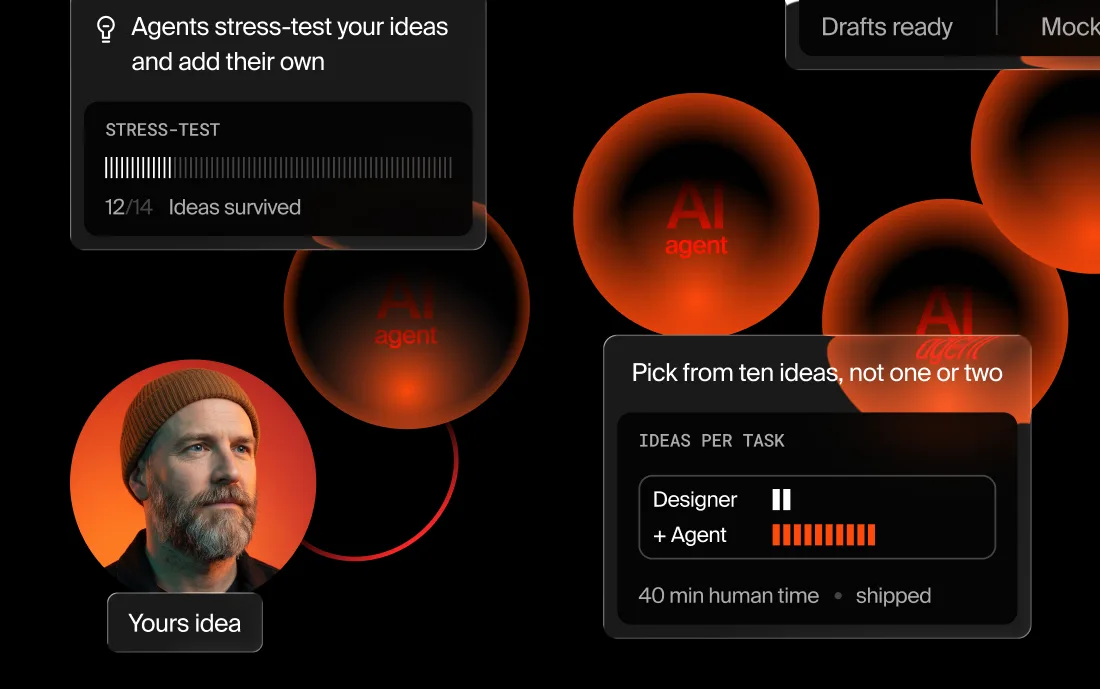
Why SaaS teams bring us in for AI flows
An AI feature that has to be found has already lost.
So we start from where the work happens, not from where the feature would fit.
What we design in an AI feature
The surfaces that decide whether it survives its first month.
- 01Entry pointWhere the feature lives in an existing screen, so it is found without a tour.
- 02The empty promptStarters, examples, and constraints, because a blank field is the single biggest drop-off in AI UX.
- 03Showing the workWhat the model used, what it assumed, and what it left alone.
- 04Edit and partial acceptAccept a paragraph, reject a row, adjust the rest, and keep the result.
- 05Review and approvalWho signs off before output reaches a customer, and how that sign-off is recorded.
- 06Failure and latencySlow, empty, refused, wrong. Each state gets a design and a way forward.
- 07Credits and limitsUsage that is visible before it runs out, and a clear upgrade path.
- 08Data and trust copyWhat is sent, what is retained, and what is never used for training, stated on the screen itself.
Designed around how AI features actually get used
Three things we design around in every AI feature.
The blank prompt is a dead end
An empty box asks the user to guess what the model can do. The features that get used open with the work already in them: the selected rows, the current document, three starting points drawn from what this user actually does.
Editable output is kept, finished output is thrown away
A block of generated text with no seams gets deleted. The same content in editable parts, where one paragraph can be accepted and another rewritten, gets used. Partial acceptance is the difference between a demo and a tool.
Cost and limits are part of the interface
Credits, rate limits, and slow responses are not billing details, they are screens. If a user cannot tell what an action will cost or how long it will take, they stop using the feature before they hit the limit.
Published AI product work
Three published cases where the product runs on AI.


From idea to launch
The workflow first, the model second.
Workflow read
Where the work happens today, and which step is actually worth automating.
Entry point
Where the feature lives, so nobody has to go looking for it.
Output and edit
Showing the work, partial acceptance, and what happens when the model is wrong.
Limits and trust
Credits, latency, failure, and the data copy, designed as screens rather than strings.
Ship and measure
Release, then read second-use rate rather than first-try rate.
 Native
“We have navigated the partnership successfully to date.”
Ben Lang · Founder & CEO
Read the full review
Join hundreds of teams. And counting.






































See what this would look like on your product.
Send the product and the deadline. You get a reply within 24 hours with the closest cases, a timeline and an estimate.
Questions?
Where should an AI feature live in an existing SaaS product?
Inside the step it improves. If the slow part of the job is drafting a report, the feature belongs in the report editor, on the empty state, with a starter. A separate AI tab gets one visit out of curiosity and rarely a second.
How do you stop an AI feature from feeling like a gimmick?
Make the output editable in pieces, show what it was based on, and design the moment it is wrong. Edited output becomes the user’s own work, so the feature gets kept. A wrong answer with a clear way forward keeps the user’s trust.
Do you design pricing and usage limits for AI features?
Yes, and it matters more than teams expect. Credits that stay invisible until they run out generate support tickets. An upgrade prompt at the moment of failure reads as a trap. We make usage visible before it is spent and keep the upgrade path simple.
Can you help decide whether to build the feature at all?
Yes, and sometimes the answer is no. If the step is already fast and cheap, adding a model only adds latency and doubt. We say that in week one, before you build a feature you would quietly remove in a quarter.
How do you know whether the AI feature worked?
We agree the numbers before the work starts, and the one that matters is second use: how many people who tried it once came back. First-try rates flatter every AI feature ever shipped. We also watch edit rate, partial acceptance, and how often people hit a limit they did not expect.
Can you design it so we can change models later?
Yes. We keep the interface honest about what it is doing — showing the work, the sources, the confidence — rather than tying the screens to one provider’s behavior. Swapping the model then changes quality, not the whole design.




Last updated



